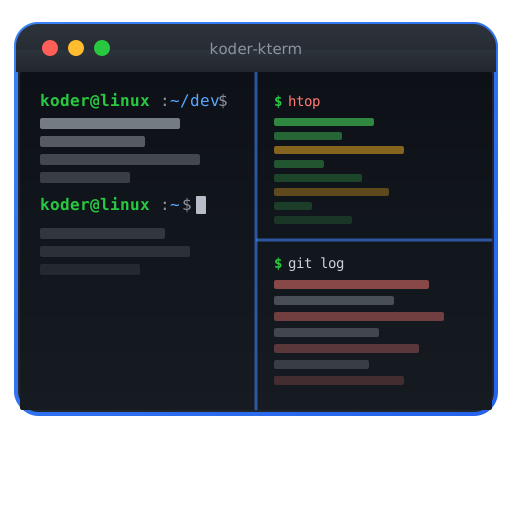
A GPU-accelerated, cross-platform tiling terminal emulator built in Koder Lang. Combines the speed of Alacritty, the features of WezTerm, and the aesthetics of a modern IDE — with native tabs, splits, ligatures, image rendering, and a Lua-free configuration language.
# ~/.config/koder-kterm/config.toml [font] family = "JetBrains Mono" size = 14 ligatures = true [window] opacity = 0.95 blur = true padding = 8 decorations = "none" [colors] theme = "koder-dark" [keybindings] "ctrl+shift+d" = "split:right" "ctrl+shift+e" = "split:down" "ctrl+tab" = "tab:next" "ctrl+shift+f" = "search:toggle"
Everything you need, built from the ground up.
OpenGL/Vulkan/Metal rendering pipeline delivers buttery-smooth scrolling and instant redraws, even with thousands of lines of output.
Split panes horizontally and vertically with keyboard shortcuts. Built-in tiling window manager with customizable layouts — no need for tmux.
Full support for programming ligatures (Fira Code, JetBrains Mono), Nerd Font icons, emoji, and complex Unicode scripts with HarfBuzz shaping.
Render images, charts, and previews directly in the terminal using the Kitty graphics protocol and Sixel. See file previews without leaving the command line.
Configure everything in a simple TOML file with hot-reload. No Lua scripting required — just declare your keybindings, colors, and behavior.
Native builds for Linux (Wayland + X11), macOS, and Windows. Same configuration, same experience, same performance on every platform.
Build complex terminal layouts with named sessions and persistent arrangements.
# Define a workspace layout [[workspaces]] name = "dev" [[workspaces.panes]] command = "nvim" ratio = 0.6 [[workspaces.panes]] split = "right" command = "koder-shell" ratio = 0.4 [[workspaces.panes]] split = "below" command = "htop" ratio = 0.3
Customize every visual aspect with built-in themes or create your own.
# Custom theme definition [themes.my-theme] bg = "#1a1b26" fg = "#a9b1d6" cursor = "#c0caf5" selection = "#33467c" black = "#15161e" red = "#f7768e" green = "#9ece6a" yellow = "#e0af68" blue = "#7aa2f7" magenta = "#bb9af7" cyan = "#7dcfff" white = "#c0caf5"
See how Koder Kterm stacks up against the competition.
| Feature | Koder Kterm | Alacritty | WezTerm | Kitty |
|---|---|---|---|---|
| GPU-accelerated rendering | ✓ | ✓ | ✓ | ✓ |
| Built-in tiling/splits | ✓ | — | ✓ | ✓ |
| Font ligatures | ✓ | — | ✓ | ✓ |
| Inline image rendering | ✓ | — | ✓ | ✓ |
| Session persistence | ✓ | — | Partial | — |
| Simple config (no scripting) | ✓ | ✓ | — | ✓ |
| Cross-platform native | ✓ | ✓ | ✓ | Partial |
| Tabs | ✓ | — | ✓ | ✓ |
Existing terminals force you to choose: Alacritty is fast but has no splits or tabs. WezTerm has features but requires Lua configuration. Kitty is powerful but limited on Windows. Koder Kterm combines the best of all three with a simple TOML config.
Koder Kterm matches Alacritty's rendering performance within 2-5% on benchmarks. Both use GPU-accelerated rendering. The additional features (splits, tabs, images) add negligible overhead because they use the same rendering pipeline.
For most users, yes. Koder Kterm has built-in tiling, tabs, session persistence, and named workspaces. The main feature tmux offers that Koder Kterm does not is remote session persistence — for that use case, tmux still has its place.
Koder Kterm includes a config migration tool that converts Alacritty YAML and Kitty config files to its TOML format. Run 'koder-kterm migrate --from alacritty' to convert automatically.
Yes. Koder Kterm has native Wayland support with client-side decorations and fractional scaling. It also works on X11 and automatically detects the display server.
The Terminal, Perfected